Overview
Framer Forms Connect is a game-changer for marketers and designers who want to maintain complete control over their form design while leveraging powerful backend services. Unlike traditional integrations that rely on restrictive iframes or generic widgets, this plugin allows you to use Framer’s native design tools to build beautiful forms that connect directly to your favorite CRM and email marketing platforms.
Key Features
- Native Design Integration: Build forms using any Framer elements (inputs, buttons, stacks) and connect them effortlessly.
- “Magic Paste” Configuration: Automatically extract all necessary field mapping and endpoint data from your provider’s embed code.
- No Middleware Required: Data is sent directly from your site to your provider (e.g., HubSpot or Mailchimp) without passing through Zapier or Make.
- Privacy Centric: Helps maintain GDPR compliance by reducing third-party data handlers.
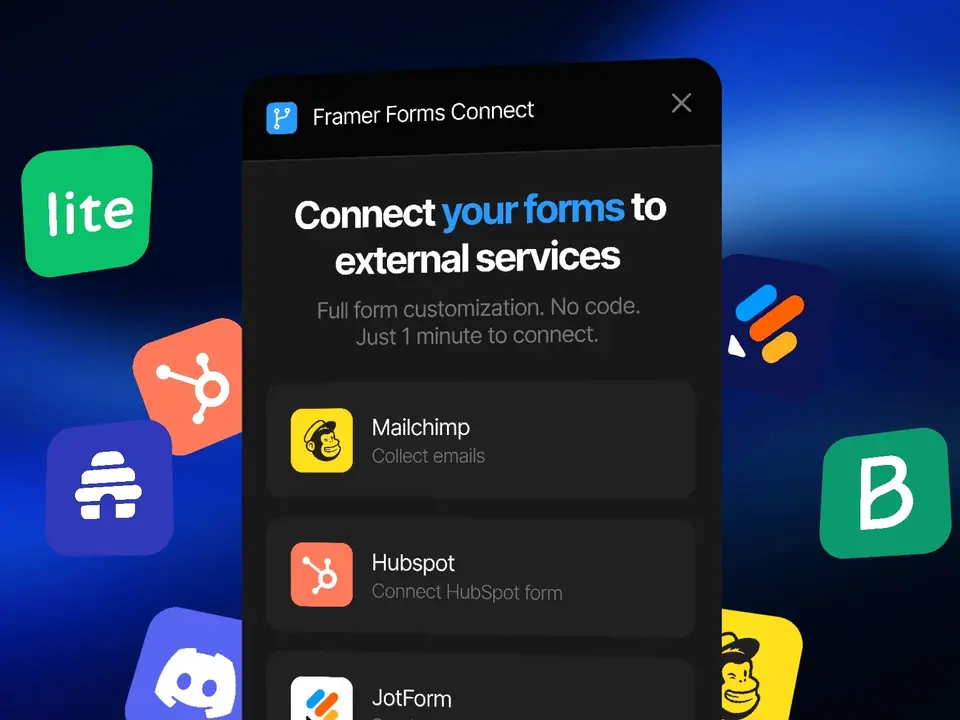
- Broad Support: Works with HubSpot, Mailchimp, Brevo, Beehiiv, MailerLite, Jotform, and Discord.
How to Use Framer Forms Connect
- Design Your Form: Create your form layout in Framer using standard input and button components.
- Launch Plugin: Select your form container and open the Framer Forms Connect plugin.
- Choose Provider: Select your CRM or marketing tool from the list of supported integrations.
- Paste Embed Code: Copy the embed code from your provider and use the “Magic Paste” feature to automatically map fields.
- Publish: Your native Framer form is now live and connected to your database.
Use Cases & Examples
- High-Conversion Landing Pages: Creating custom-branded lead capture forms that match the site’s aesthetic perfectly.
- Newsletter Signups: Integrating Beehiiv or Mailchimp signups directly into a blog footer with custom success states.
- Support Forms: Building multi-input contact forms that send data directly into a Discord channel for quick team notifications.
Pricing & Plans
Framer Forms Connect is a premium plugin. It offers a transparent pricing model within the Framer Marketplace, typically focused on unlocking unlimited forms and the full range of integrations for professional projects.
Alternatives to Framer Forms Connect
- Standard Framer Forms: Limited to specific integrations and often less flexible in design.
- When to choose: Select Framer Forms Connect if you want the highest level of design freedom without the complexity of manual API coding.
Frequently Asked Questions
- Can I add custom validation? Yes, because you are using native components, you can use Framer’s built-in validation or custom scripts.
- Is there a limit to how many fields I can have? No, you can add as many fields as your backend provider allows.
- Does it support file uploads? Support for file uploads depends on your chosen backend provider’s capabilities.
Final Verdict
Framer Forms Connect is the bridge between design freedom and marketing efficiency. It’s an essential tool for anyone tired of “form-in-a-box” solutions who wants to create truly bespoke user experiences.